Managing Users and Roles
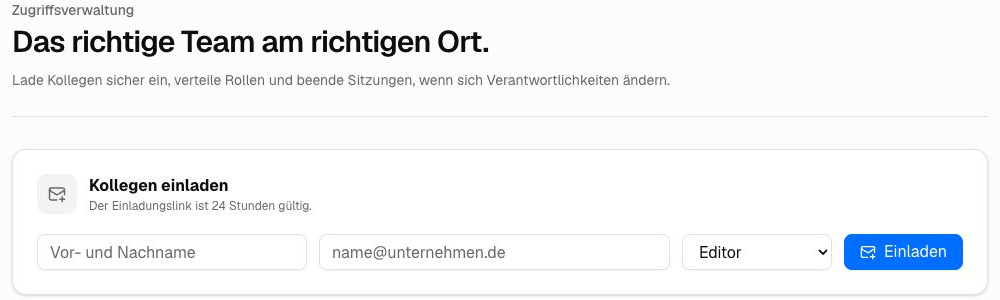
The Users area is visible to administrators only. Invite colleagues, assign roles and mirrors, and manage existing accounts here.
Roles
| Role | Permissions |
|---|---|
| Administrator | Full access to content, all mirrors, connection details and user management |
| Editor | Can edit content and settings for specifically assigned mirrors; cannot manage users or tokens |
Invite a Person
- Enter the person's full name and email address.
- Select Editor or Admin.
- Click Invite.
The person receives an account setup link by email. The link remains valid for 24 hours. You can resend or delete pending invitations.
After accepting an invitation, a new editor initially receives access to the main mirror. With Multi-Mirror, you can adjust this assignment afterwards.
Change an Editor's Mirror Access
- Open the mirror selector on the account.
- Select at least one available mirror.
- Save the selection.
Administrators automatically have access to every mirror. Their access cannot be restricted.
Change Account Details and Role
Use the pencil icon to edit a person's name and email address. If the email address changes, the new address must be used for the next sign-in.
The role can be changed directly between Editor and Administrator. You cannot demote your own administrator account to Editor.
Create a Temporary Password
Administrators can create a temporary password for another account. This ends all active sessions for that account. The temporary password is shown once and must be sent to the person securely. A new personal password is required at the next sign-in.
Delete an Account
Click the bin icon beside an account and confirm the safety prompt. You cannot delete your own account. A deleted person must be invited again if access is needed later.